Yourself
How to load it
Pick your own avatar in the loader — it is always available and always accurate.
Why paint it
The fastest way to learn the canvas, and the game suggests it in its own description. New players already post self-portraits.
The whole game is built around one question: whose avatar goes on your canvas? Pick your subject below, then walk the painting.
Painting celebrity icons, friends, and famous YouTubers all starts with the avatar loader: pick a subject, then paint the numbered template. Paint yourself, a friend, or a celebrity icon — every option works the same way on the canvas. Claim a plot, open the avatar loader, and choose who to paint — yourself, a friend, or a celebrity icon. The loader turns that avatar into a numbered template, and you paint it block by block like any other canvas. Details checked 2026-08-03.
How to load it
Pick your own avatar in the loader — it is always available and always accurate.
Why paint it
The fastest way to learn the canvas, and the game suggests it in its own description. New players already post self-portraits.
How to load it
Choose a friend's avatar from the loader the same way. We're still confirming whether any username works or only Roblox friends.
Why paint it
Painting each other is the social heart of the game — up to 8 players paint side by side in one server.
How to load it
Pick a celebrity icon from the loader. There is no confirmed list of who is available, so check in-game first.
Why paint it
The most recognizable finished painting you can show off — players are already posting famous-YouTuber paintings.
Watch the template appear
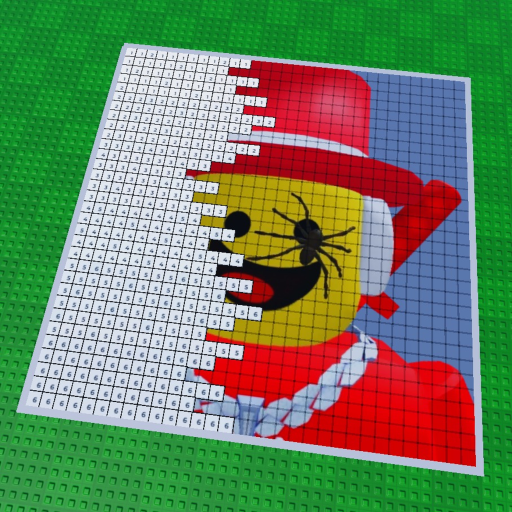
The loaded avatar becomes a numbered grid on your canvas.
Fill matching colors
Each number is one color. Block by block, the face shows up.
Finish and share
Completed paintings earn a badge and save automatically. The game promises sharing — the exact share feature is still being confirmed.
Yes — the game description says you can load celebrities' icons onto your canvas (checked 2026-08-03).
Use the same avatar loader and pick your friend instead of a celebrity. The exact eligibility rules are still being confirmed in-game.
Yes — drawing yourself is an official feature, and players are already posting self-portrait videos.
There is no confirmed list of paintable celebrities yet, so we won't guess names. Check the loader in-game — availability is being confirmed.
Unknown for now — that is one of the details we're still confirming in-game, and this page will say so until it's settled.